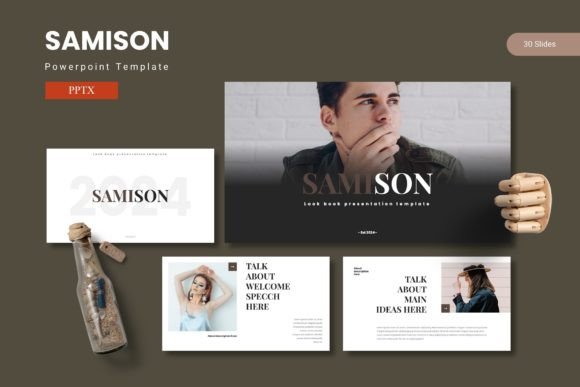
Samison - Powerpoint Template: Your Ideas, Beautifully Presented
We've all been there. You have a brilliant idea, a crucial business update, or a compelling story to tell, but the blank PowerPoint slide stares back, intimidating and uninspired. The default templates feel tired, and the thought of starting from scratch is daunting. This is where a well-crafted design asset transforms the entire process. The Samison - Powerpoint Template isn't just another set of slides; it's a comprehensive toolkit designed to give your ideas the visual stage they deserve, combining data, graphics, and impactful content into a cohesive narrative.
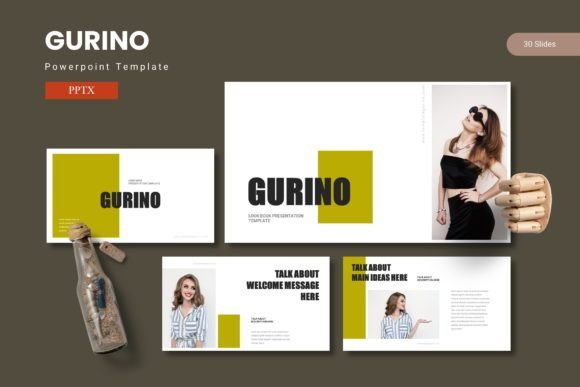
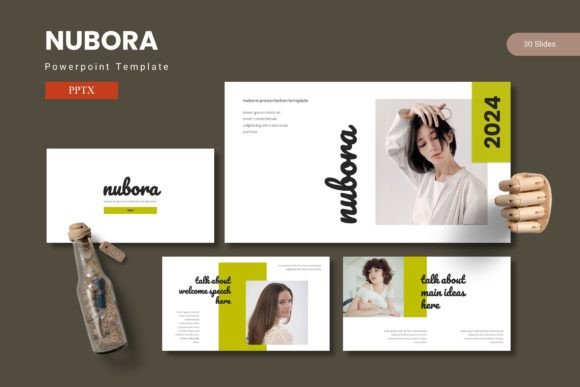
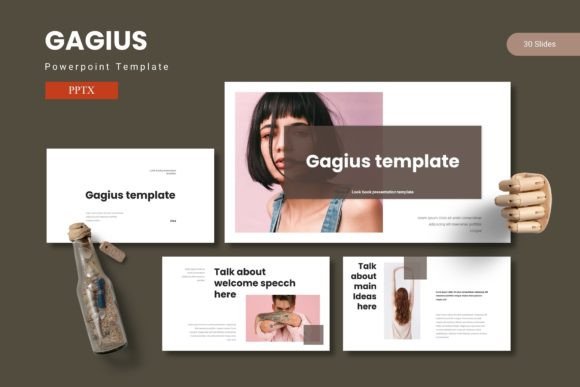
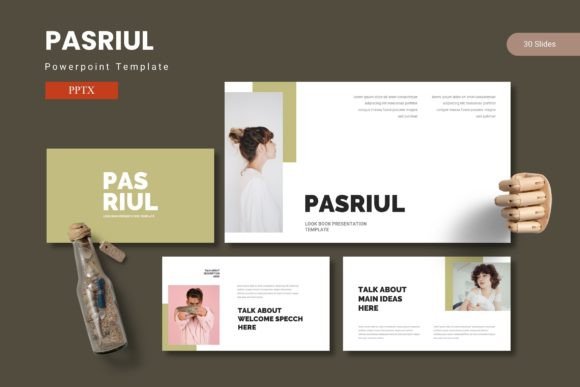
Imagine opening a file and finding not one, but five complete presentation frameworks, each with a distinct color scheme. That's the foundation of Samison: 150+ total slides organized into 30 meticulously designed slides per template. This structure means you're not just getting a random collection of layouts. You're getting a full visual system. Whether you're preparing a quarterly sales report, a startup pitch deck, a workshop outline, or a creative portfolio review, the right structure is already there. The section break slides help you pace your story, while the variety of data visualization and graphic slides ensure your content remains engaging from start to finish.
Beyond the Slides: A Foundation for Visual Consistency
What truly elevates a presentation from good to memorable is consistency. A disjointed deck with mismatched fonts, colors, and styles can subconsciously undermine your credibility. Samison solves this by being built on master slides and a thoughtful design system. This means every element, from the font choices to the color palettes and the placement of graphics, is harmonized. When you apply your brand's colors or swap out placeholder images, the underlying professional design ensures everything still looks polished and unified.
This level of visual consistency is a cornerstone of effective brand identity. It’s not just for internal meetings. Consider using a Samison template as the starting point for:
- Client Pitches and Proposals: A sleek, professional deck instantly builds trust and communicates that you value quality and attention to detail.
- Social Media Content: Export individual slides as graphics for Instagram carousels, LinkedIn infographics, or Pinterest pins. The handcrafted infographics are perfect for breaking down complex ideas into shareable visuals.
- Digital Products and Courses: If you're an educator or coach, a beautifully designed slide deck becomes a valuable part of your course materials, enhancing the learning experience.
- Internal Communications: Even company updates and training materials benefit from a professional look, boosting engagement and clarity among your team.
Practical Design for Real-World Projects
The utility of a template like this extends far beyond traditional presentations. The pixel-perfect illustrations and resizable graphics are standalone design assets. A marketer could extract a compelling chart for a blog post. A small business owner could use a layout as inspiration for a website hero section. The gallery and portfolio slides are a godsend for creatives—photographers, designers, and artists—looking to showcase their work in a clean, modern format.
The drag-and-drop picture placeholder feature is a huge time-saver. You don't need to be a PowerPoint expert to make it your own. Simply click, drag in your photo, and it fits perfectly within the designed frame. This ease of use is critical for busy entrepreneurs and content creators who need to produce professional materials quickly without a steep learning curve. The included color variations offer another layer of customization, allowing you to match the template to your existing brand palette or choose a mood that fits your project's tone.
Making the Choice: Aligning Template with Purpose
With five color schemes and a multitude of slides, how do you choose the right one for your project? Start by considering your audience and goal. A dark, high-contrast scheme might be perfect for a bold tech startup pitch, while a softer, pastel palette could suit a wellness brand or an educational webinar. Review the slide types within each template. Does one have more data-driven charts that match your report? Does another have more full-bleed image layouts that would showcase your photography portfolio better?
Don't overlook the practical details included in the package. The Readme First file is essential. It contains information on the fonts used and photo sources. This is crucial for two reasons: first, to ensure you can maintain the design's integrity by using the intended typeface (or finding a suitable alternative if needed for licensing), and second, for sourcing similar high-quality imagery. Checking the commercial licensing of any included assets is always a smart practice if you plan to use the final presentation for commercial purposes.
Ultimately, a tool like the Samison - Powerpoint Template is about removing barriers. It removes the barrier of a blank slide, the barrier of inconsistent design, and the barrier of time-consuming creation. It provides a professional scaffold so you can focus on what truly matters: your message. Whether you're a designer looking for a solid base to build upon, a marketer needing to create on-brand assets quickly, or a hobbyist wanting to present a passion project beautifully, having a reliable, versatile, and visually stunning template system at your fingertips changes the game. It allows you to share your ideas with the confidence that they will be seen, understood, and remembered.