Duminic: Crafting Polished, Professional Presentations
Every entrepreneur, marketer, or creative professional has been there: staring at a blank PowerPoint slide, wrestling with mismatched fonts, awkward text boxes, and a color scheme that just doesn't feel right. You have a brilliant idea to share, a product to launch, or a strategy to present, but the tools feel clunky. The Duminic - Powerpoint Template is designed to eliminate that friction entirely. It’s a comprehensive, ready-to-use framework that transforms your ideas into visually compelling narratives, ensuring your message isn’t just heard, but remembered.
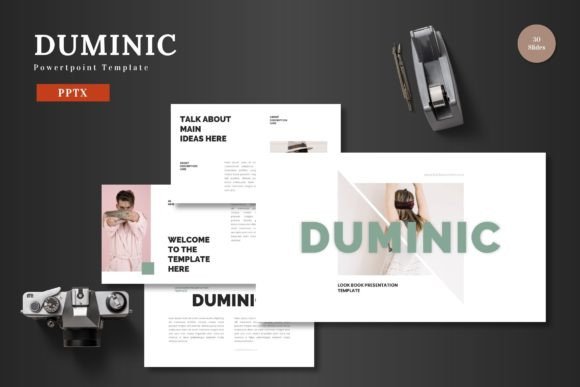
At its core, Duminic is a masterclass in clean, scalable, and multipurpose design. It’s built for the real world—for the business owner preparing a pitch deck to secure funding, the e-commerce manager showcasing a new product line, or the freelancer presenting a creative concept to a client. The template understands that a great presentation is more than just slides; it’s a visual extension of your brand. With 150+ total slides across five premade color schemes, you have a versatile toolkit at your fingertips. The design philosophy is rooted in modern typography and pixel-perfect illustrations, creating a professional yet approachable aesthetic that adapts to your brand’s unique personality.
Beyond the Slides: A Versatile Design Asset
While the primary function is presentation, the value of a resource like Duminic extends far beyond the boardroom. Think of the template’s handcrafted infographics, resizable graphics, and gallery slides as a foundational design asset kit. The clean layouts and balanced compositions are ideal for creating other brand touchpoints. For instance, a slide designed for a product showcase can be easily adapted into a high-impact social media graphic for Instagram or LinkedIn. The consistent visual language ensures that whether a customer sees your presentation, your website banner, or a printed flyer, the brand recognition is immediate and cohesive.
This consistency is crucial for building trust. A mismatched visual identity can subconsciously signal a lack of professionalism. By using a unified template system, you maintain visual harmony across all your marketing assets. The included picture placeholders and drag-and-drop functionality make it simple to insert your own photography or product images, ensuring every element feels intentionally curated. This practical approach to design helps small business owners and entrepreneurs compete with larger brands by presenting a polished, unified front without the need for a dedicated design department.
Practical Applications for Real-World Projects
The true test of any design tool is its practical application. Duminic’s structure is built for a variety of creative and commercial projects, making it a valuable addition to your toolkit. Consider these scenarios:
- Brand Launch & Identity: Use the template to develop a comprehensive brand presentation. Showcase your logo, color palette, typography, and brand guidelines on dedicated slides. This becomes a living document for your team and a powerful introduction for partners or investors.
- E-commerce & Product Promotion: The product promotion slides are perfect for creating detailed lookbooks or catalog presentations. Highlight features, benefits, and lifestyle imagery to tell your product’s story effectively. The scalable graphics ensure everything looks sharp on any screen.
- Pitch Decks & Investor Meetings: Structure your narrative with clear section break slides. Use the infographic elements to visualize data, market size, and growth projections. A clean, professional deck built with Duminic helps you focus on your story, not on formatting headaches.
- Internal Training & Workshops: Create engaging training materials for your team. The variety of slide layouts—from bullet points to process diagrams—keeps content dynamic and aids in information retention.
The template’s design is intentionally minimal, allowing your content to take center stage. This is a key principle of effective modern typography: the typeface and layout should support the message, not overshadow it. The clean lines and ample white space improve readability, ensuring your audience stays focused on your key points, whether you’re presenting live or sharing the deck as a downloadable PDF.
Maximizing Your Template: Tips for Effective Use
To get the most out of a comprehensive template like Duminic, a bit of strategic planning goes a long way. Start by defining your core message and audience. Are you speaking to potential clients, internal stakeholders, or the general public? This will guide your choice of the five color schemes and help you select the most relevant slides from the library.
Next, focus on font pairing and readability. While the template includes suggested typography, you may want to align it with your existing brand fonts. Ensure any custom fonts you add are legible at various sizes, especially for body text on projection screens. Test your final presentation on different devices—a laptop, a tablet, and a phone—to check for formatting consistency. Finally, remember that all elements are editable. Don’t be afraid to adjust the master slides to create a unique variation that perfectly fits your project’s goals. The goal is to use the template as a powerful starting point, not a rigid cage, to craft a presentation that truly represents your vision.