Jumariz: A Clean, Scalable Google Slides Template for Modern Business
You know the feeling. You're staring at a blank Google Slides presentation, the deadline is looming, and the default templates feel stale and uninspired. You need something that looks polished, professional, and aligns with your brand, but you don't have the time or budget to hire a designer for every single pitch, report, or social media update. This is where a thoughtfully crafted template like Jumariz steps in, not just as a quick fix, but as a foundational design asset for your visual communication.
More Than Just Slides: A System for Visual Consistency
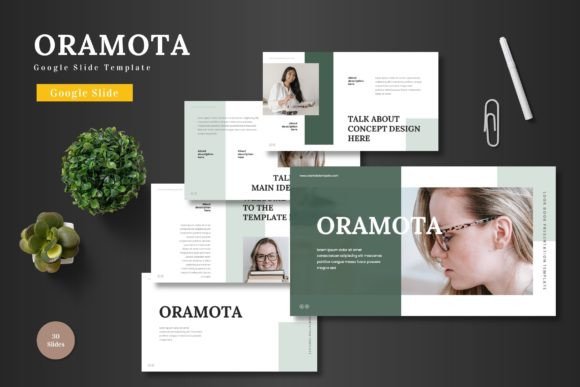
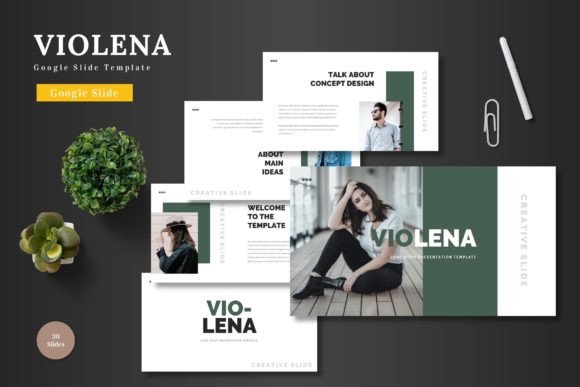
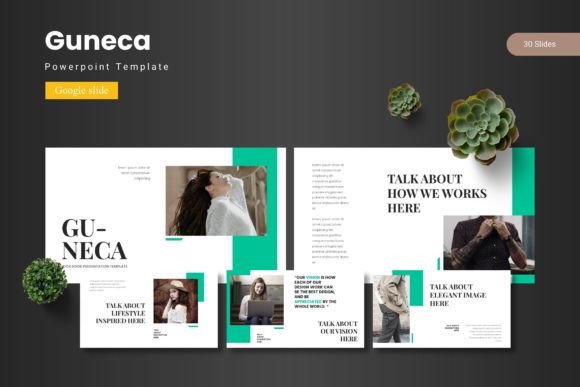
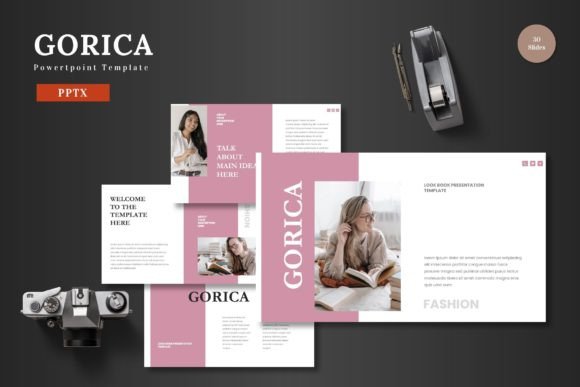
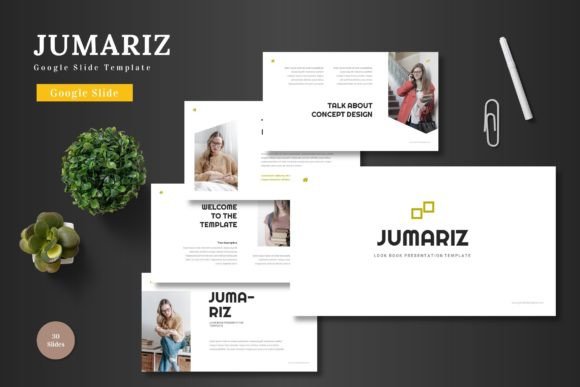
Jumariz is built on the principle that great design should be accessible and adaptable. It's not a single static file, but a comprehensive system of over 150 slides organized into five distinct color schemes. Each of the five included PPTX files offers 30 meticulously designed slides, giving you a vast library of layouts—from full-bleed imagery sections to data-driven infographic breakdowns. The core appeal here is scalability. Whether you're a startup founder crafting your first investor pitch, a marketing manager building a quarterly review, or a teacher creating engaging lesson plans, the template's clean structure provides a consistent visual language.
The design philosophy leans into modern typography and pixel-perfect illustrations. Every element, from the shapes to the infographics, is editable directly within Google Slides. This is a crucial point for anyone who values efficiency. You don't need to switch to complex software like Adobe Illustrator to tweak a chart or resize an icon. The master slide functionality ensures that changes you make to fonts, colors, or logos propagate throughout the entire presentation, maintaining that hard-won visual consistency that strengthens brand recognition. Imagine updating your company's primary brand color in one place and seeing it reflect across 30 slides instantly—that's the power of a well-built template system.
Practical Applications Across Your Projects
The true test of a design asset is its versatility. Let's break down how a resource like Jumariz can integrate into various workflows beyond the standard business presentation.
For Branding and Identity: Use the template to develop and present brand guidelines. The section break slides are perfect for introducing core values, mission statements, and visual identity elements. The consistent layout reinforces the brand story you're telling.
For Marketing and Sales: Create compelling pitch decks that tell a story. The infographic slides are invaluable for illustrating market data, growth metrics, or competitive analysis in a digestible way. For e-commerce, use the portfolio-style slides to showcase product lines, highlight features with clean graphics, or outline promotional campaigns.
For Content Creation and Social Media: This is where the template's adaptability shines. Export individual slides as high-resolution images to create a cohesive series of social media graphics for Instagram carousels or LinkedIn posts. The clean, scalable design ensures your visuals look sharp on any screen. Bloggers can use it to design featured images or create simple, branded graphics for within articles.
For Education and Internal Communications: Teachers and trainers can build interactive and visually engaging educational materials. The drag-and-drop picture placeholder feature makes it easy to incorporate diagrams, photos, and screenshots. For internal teams, use it to standardize reports, project updates, and training manuals, ensuring clarity and professionalism.
Designing with Intention: Tips for Using Your Template
Simply having a premium template is only the first step. To get the most out of it, approach it with a designer's mindset, even if you're not one.
Start with Your Content, Not the Slides. Before you open the file, outline your key messages. What is the single most important point per slide? This will guide your choice of layout. Don't force content into a complex infographic slide if a simple text and image layout tells the story better.
Master the Art of Font Pairing. Jumariz comes with its own typographic style, but understanding its personality is key. Is it using a clean sans-serif for headings and a readable serif for body text? Or is it a modern display font paired with a simple sans? Maintain this hierarchy. If you're introducing your own brand fonts, ensure they complement—not clash with—the template's inherent style. A good rule of thumb is to pair a font with high personality (like a display or script font) with a more neutral, readable one for body copy.
Customize with Purpose. The five color variations are a starting point. Use the master slides to input your exact brand hex codes. Replace placeholder images with high-quality, relevant photos that reflect your brand's aesthetic. The goal is to make the template your own, not to use it as-is. This customization process is what transforms a generic template into a powerful component of your brand identity.
Consider the End Viewer. Always keep readability at the forefront. Check color contrast between text and backgrounds. Ensure font sizes are large enough to be read easily, especially in presentation settings. The "pixel-perfect" promise means the elements are sharp, but your content choices determine clarity.
Investing in Your Visual Toolkit
In a digital landscape saturated with content, the quality of your visual presentation directly impacts audience engagement and perceived professionalism. A tool like the Jumariz Google Slides Template is less about the slides themselves and more about the efficiency and consistency it brings to your creative process. It’s a design asset that saves hours of formatting time, reduces design decision fatigue, and provides a professional foundation upon which you can build a cohesive visual narrative for any project, be it a critical business proposal or a vibrant community newsletter.
The included "Readme First" file is a small but vital detail, noting font and photo information. This speaks to a professional workflow, reminding you to check licensing for any external assets you incorporate. Ultimately, leveraging such a template is about working smarter, allowing you to focus your energy on your core message and strategy, confident that the visual delivery system is robust, adaptable, and ready to present your ideas to the world with clarity and style.