Smart Design: Using a Template for Cohesive Social Media Covers
Crafting a consistent visual identity across platforms is a non-negotiable task in the digital age, yet it often feels like a race against time. When you are managing a brand, whether it is a personal blog or a bustling e-commerce store, the visual assets you post must be distinct and recognizable. This is where having the right foundational design assets becomes critical. Instead of starting from a blank canvas every time you need a new Facebook header or a LinkedIn banner, utilizing a structured Social Media Cover Design Template can streamline your workflow significantly. It is not just about saving time; it is about establishing a professional rhythm in your visual communication that signals reliability to your audience.
The Anatomy of a Professional Cover
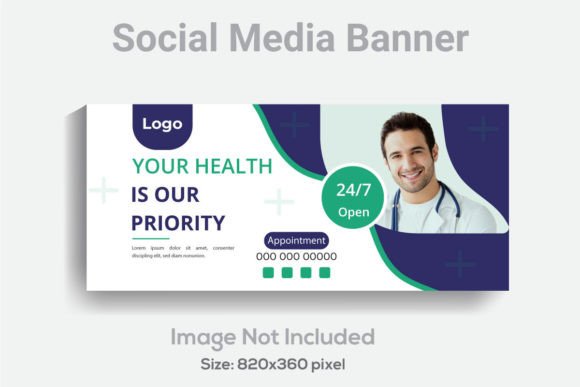
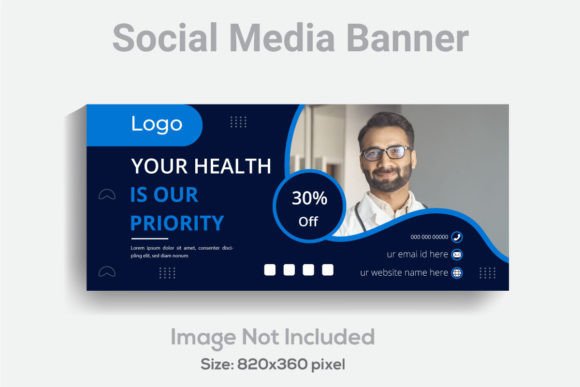
When selecting design assets, the technical specifications matter just as much as the visual appeal. A high-quality Social Media Cover Design Template is built on a foundation of precision. For instance, the standard 820x360 pixel dimension is optimized for the "above the fold" viewing experience on major platforms, ensuring your message isn't cut off on mobile devices. However, the true value lies in the resolution and editability of the file. A design rendered at 300 DPI (dots per inch) ensures that even if you decide to repurpose that digital graphic for a printed banner or a high-quality flyer, the image remains crisp and professional.
Furthermore, the structure of the file is paramount for efficiency. A "well-layered" Adobe Illustrator (AI) file means you aren't wrestling with a flattened image. Instead, you can isolate specific elements—adjusting the hierarchy of text, swapping out background textures, or resizing icons without degrading the overall quality. This level of organization is a hallmark of premium font and design assets. It allows for the kind of granular customization that separates amateur graphics from professional brand collateral.
Bridging the Gap Between Digital and Print
One of the most common mistakes in modern branding is treating digital and print as two separate worlds. A robust design template bridges this gap. Because the file is delivered in vector formats (AI and EPS), scalability is infinite. You can take the same design intended for a social media header and scale it up for a trade show poster or down for a business card without losing sharpness.
Imagine you are launching a new product. You need a cohesive look across your Instagram stories, your website hero image, and the packaging inserts. By using a template where the fonts are fully editable, you can ensure that the typography used in your social media graphics matches exactly what appears on your physical merchandise. This consistency builds brand recognition. When a customer sees your font style and color palette, they should immediately connect it to your business, regardless of whether they are looking at a screen or a physical box.
Typography as the Voice of Your Brand
While the layout provides the structure, typography provides the voice. The inclusion of an editable text layer in a template is where the real creative work happens. Typography is not just about legibility; it is about personality. A bold, sans-serif font might convey modernity and strength, ideal for a tech startup, while a flowing script might evoke elegance and warmth, perfect for a boutique wedding planner.
When working with these design assets, it is crucial to understand how to match the typeface to your project goals. If you are creating a template for a corporate client, you might prioritize a clean sans-serif for headers to ensure readability on smaller screens, paired with a serif font for body text to add a touch of authority. Conversely, a creative agency might lean into a display font to grab attention instantly. The key is to review the included font styles and test how they interact. Does the header font overpower the subheader? Is there enough contrast to guide the viewer’s eye naturally from the headline to the call to action?
Practical Applications Beyond the Header
While the primary function is a cover image, the versatility of a well-designed template extends far beyond a simple Facebook banner. Think of the template as a modular kit for your visual identity.
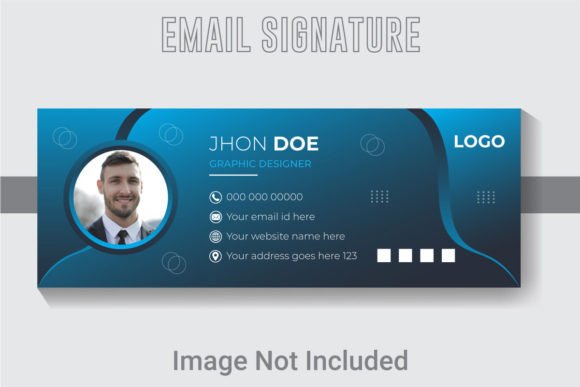
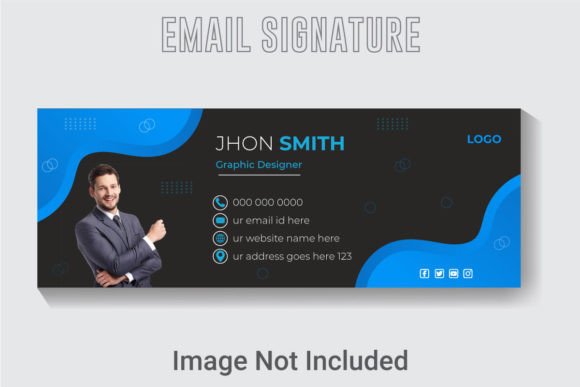
For the small business owner, this template can be repurposed for email marketing headers. When you send out a newsletter, a consistent header image that matches your social presence reinforces your brand identity immediately. For the content creator or blogger, these designs can serve as the basis for Pinterest pins. By simply adjusting the dimensions slightly (while maintaining the design elements), you can create a suite of graphics that drive traffic back to your site.
Even for event planners, the design can be adapted for digital invitations or "Save the Date" graphics. The RGB color mode ensures the colors pop on any screen, making it ideal for digital products. However, if you plan to use the design for print materials like posters or flyers, simply converting the color profile to CMYK in Illustrator will prepare the file for professional printing, ensuring the colors translate accurately from screen to paper.
Optimizing for Engagement and Readability
Visual appeal is subjective, but engagement is measurable. A cluttered social media cover can cause users to scroll past without a second glance. The strength of a structured template lies in its pre-defined hierarchy. It tells you where the eye should go first. By respecting this hierarchy and using high-contrast color pairings, you improve readability.
Consider the "squint test." If you squint at your design and the main message disappears into a blur of shapes, your contrast is likely too low. Use the editable color features of your template to ensure your text stands out against the background. This is particularly important for mobile users, who make up the vast majority of social media traffic. A headline that is legible on a desktop monitor might be impossible to read on a smartphone screen if the font weight is too light or the background is too busy.
Commercial Use and Licensing Considerations
Finally, when working with design assets, understanding the licensing is as important as the design itself. If you are a designer creating assets for a client, or a business owner building your own brand, you must ensure that the fonts included in the template are cleared for commercial use. Most professional templates include fonts that are free for commercial use, but it is always best practice to verify this.
By investing in a comprehensive Social Media Cover Design Template that includes organized AI and EPS files, you are not just buying a picture; you are buying a toolset. It empowers you to maintain visual consistency, adapt to different marketing channels, and present a polished, professional face to the world. Whether you are refreshing a brand identity or launching a new campaign, having a reliable template in your toolkit ensures that you can focus on your message, knowing the design foundation is solid.