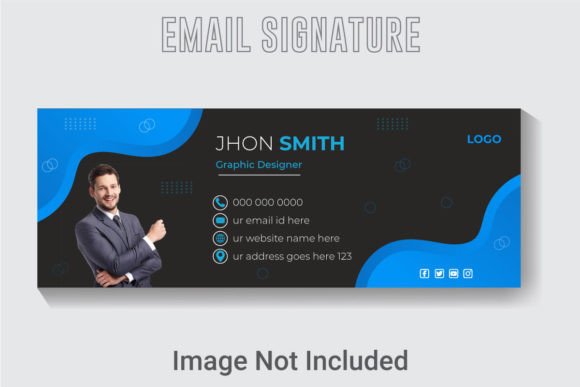
Modern Vector Email Signature Template: A Designer's Guide
That final line at the bottom of your email—the one with your name, title, and a sprinkle of contact info—is doing more heavy lifting than you think. It’s not just a digital business card; it’s the last impression you leave in someone’s inbox, a tiny billboard for your professionalism. A generic, text-only signature feels like an afterthought, but a sleek, cohesive design can instantly communicate credibility. This is where a thoughtfully crafted asset like the Modern Vector Email Signature Template becomes a game-changer, turning a mundane detail into a polished brand touchpoint.
Beyond the Inbox: The Anatomy of a Professional Brand Asset
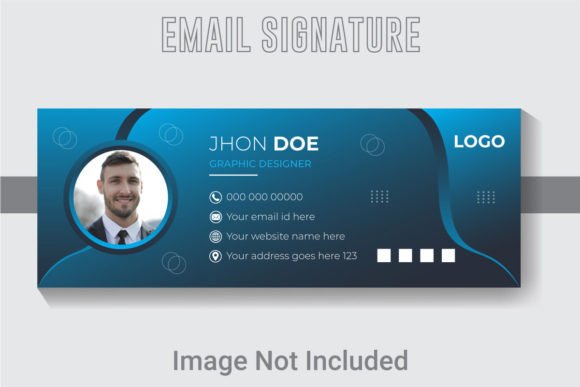
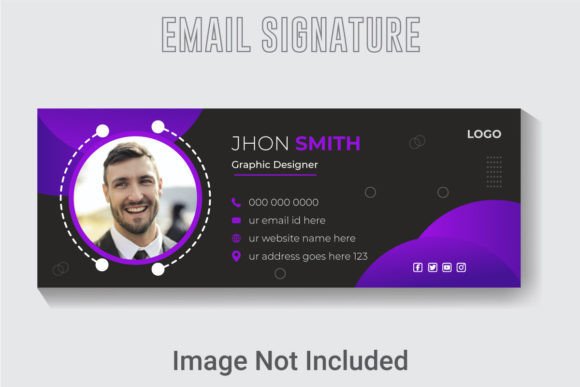
At its core, this isn't just a fancy email footer. The Modern Vector Email Signature Template is a fully customizable design file built in Adobe Illustrator. What makes it stand out is its foundation: a crisp 851x315 pixel canvas designed in RGB color mode at 300 DPI resolution. This isn't a flimsy screenshot; it's a high-resolution vector file. This means your signature will look perfectly sharp on everything from a high-retina smartphone screen to a large desktop monitor, and it can be scaled without any loss of quality.
The true power lies in its editable nature. Every single element—the text, the fonts, the colors, and the layout—is organized in well-layered AI and EPS files. This gives you complete control. You can swap out the placeholder text for your real details, change the color palette to match your brand guidelines in seconds, and even adjust the layout to better suit your style. The inclusion of a free font means you can get started immediately without hunting for additional assets, and the provided JPG offers a quick preview or a static alternative if needed.
Practical Applications for Creators and Entrepreneurs
While its primary function is clear, the utility of a versatile design asset like this extends far beyond email. Think of the template as a starting point for a cohesive visual identity. Here’s how you can adapt it for various projects:
- Brand Consistency: Use the same design language from your email signature to create matching social media profile banners or website contact sections. This reinforces brand recognition across platforms.
- Marketing Collateral: Adapt the template for creating quick, professional-looking digital business cards, webinar intro slides, or even simple promotional graphics for LinkedIn.
- Digital Products: If you sell templates, courses, or ebooks, a clean, branded signature graphic can be used on your sales pages or in PDF materials to add a layer of polish.
- Client Work: For freelance designers or agencies, having a suite of customizable templates like this speeds up the process of creating branded assets for clients, ensuring a professional deliverable every time.
The key is viewing it not as a single-purpose file, but as a modular design system. The clean lines and modern typography make it adaptable for everything from a minimalist photographer's portfolio to a vibrant tech startup's communications.
Making It Work for Your Brand: Practical Design Tips
Simply adding your name to the template is only the first step. To truly make it yours, you need to align it with your broader brand strategy. Start by considering your brand's personality. Is it serious and corporate, or friendly and approachable? The font and color choices should reflect this. If your brand uses a specific serif font for headings and a sans-serif for body text, try to mirror that pairing within the signature for a harmonious feel.
Don't underestimate the power of color. The RGB color mode is perfect for digital screens. Pull your exact brand hex codes and apply them to the text and any design elements. This small step is what transforms a generic template into your signature. Remember, consistency in color is one of the strongest tools for brand recognition.
Finally, test the final design. Send a test email to yourself and view it on your phone, your tablet, and your computer. How does it look in dark mode? Is the text still readable at a smaller size? A great email signature is one that is instantly clear and doesn't require pinching and zooming to decipher. This attention to detail ensures your professional presentation is flawless for every recipient.
Choosing and Pairing Your Typography
The font included with the template is a starting point, but understanding why it works can help you make smarter choices if you decide to customize further. Most modern professional signatures lean towards clean, sans-serif typefaces for maximum readability on screens. They feel contemporary, approachable, and are less likely to render poorly across different email clients.
If you decide to change the font, consider the hierarchy of information. Your name might be in a slightly bolder weight or a complementary display font to draw attention, while your contact details use a simpler, highly legible style. A common and effective pairing is a geometric sans-serif for the name with a humanist sans-serif for the details, creating subtle visual interest without sacrificing clarity.
Always test your chosen font pairings. Type out your full signature with real information and look for any awkward spacing or readability issues. Avoid overly decorative script or handwritten fonts for the main body of information; they can be beautiful for logos or headlines but often become a jumbled mess in small sizes, especially on mobile devices. The goal is effortless communication, not a puzzle for your reader to solve.
In the end, a tool like the Modern Vector Email Signature Template is about saving time while elevating your brand's smallest details. It provides the professional framework, giving you the creative freedom to infuse it with your unique identity. By thoughtfully customizing it and applying it consistently, you turn a routine sign-off into a powerful piece of your visual brand story.