Bucita: Your New Secret Weapon for Google Slides Presentations
Let's be honest, most presentations are forgettable. We’ve all sat through slideshows filled with bullet points, generic stock photos, and cluttered layouts that fail to inspire. The problem isn't always the idea; it's the delivery. A brilliant concept can get lost in a poorly designed framework, leaving your audience disengaged and your message diluted. What if you could bypass the design struggle entirely and start with a foundation that’s already polished, professional, and ready to be customized to your exact brand? That’s the core promise of a versatile template like Bucita.
Beyond the Basic Slide Deck
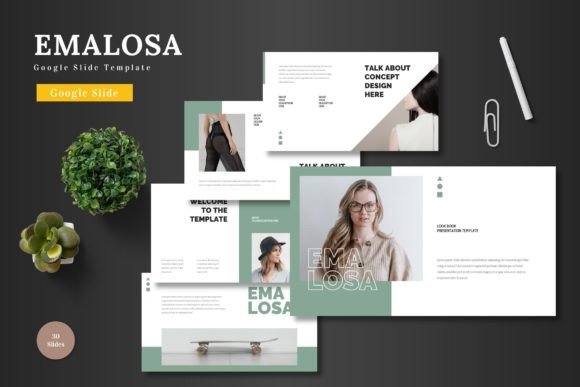
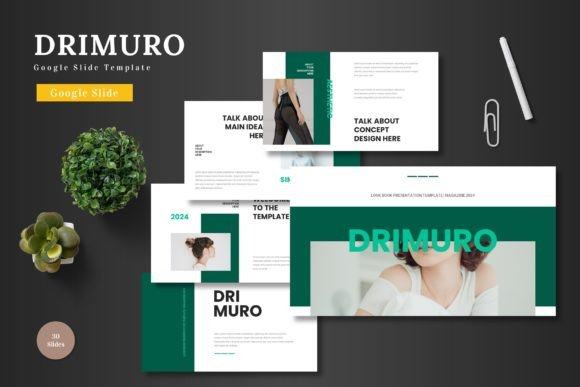
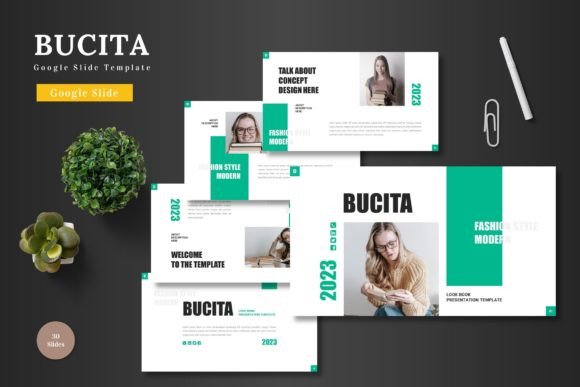
Bucita isn't just another set of pre-made slides. It's a comprehensive design system built directly within Google Slides, which means you don't need to be a graphic design expert or own expensive software to use it. The template is clean, scalable, and colorful, designed with multipurpose use in mind. Whether you're a startup founder crafting a crucial pitch deck, a marketer outlining a new campaign, or an educator creating engaging lesson plans, the structure adapts to your narrative. The real value lies in its editability. Every shape, color, and element is a native Google Slides object. You can input your content, drag and drop your own images into placeholders, and change the entire color scheme with a few clicks. This level of control ensures your presentation feels uniquely yours, not like a generic template someone else is using.
A Toolkit for Visual Storytelling
The strength of a presentation template is measured by its ability to tell a story visually. With over 150 total slides organized across five premade color themes, Bucita provides a vast toolkit for this purpose. You’ll find 30 meticulously crafted slides for each color variation, including dedicated section break slides to organize your narrative flow. The inclusion of handcrafted infographics is particularly valuable. Instead of struggling to visualize complex data or processes, you have ready-to-use elements that can be resized and edited to fit your specific information. This transforms abstract concepts into clear, digestible graphics. Furthermore, the pixel-perfect illustrations and gallery/portfolio slides offer a polished way to showcase work, products, or team members, elevating the professional quality of your entire presentation.
Practical Applications Across Industries
The utility of a robust Google Slides template like Bucita extends far beyond a standard business meeting. Consider its applications for strengthening your broader brand identity and marketing assets.
- For Branding and Marketing: Use the consistent design language to create a cohesive look across all client-facing materials. The master slides ensure that your logo, color palette, and typography remain uniform, reinforcing brand recognition.
- For Product Launches and E-commerce: The clean, modern typography and image placeholders are perfect for product promotion decks, lookbooks, or investor updates. You can create compelling visual stories that highlight features and benefits.
- For Content Creators and Bloggers: Repurpose your blog content into engaging slide decks for platforms like SlideShare or LinkedIn. The template’s structure makes it easy to break down articles into key points with supporting visuals.
- For Educators and Non-Profits: Design clear, visually appealing lesson plans, workshop materials, or grant proposals that hold an audience’s attention and communicate information effectively.
- For Personal Projects: From wedding invitations and event planning outlines to hobby portfolios and travel recaps, the template’s versatility lends a professional touch to personal creative endeavors.
Enhancing Communication and Workflow
Using a dedicated template does more than just make things look good; it streamlines your workflow and improves communication. The pre-set structure provides a logical flow, helping you organize your thoughts before you even start typing. This can save hours of decision-making about where to place elements. The consistent design also enhances readability and audience engagement. When slides are clean and not overcrowded, viewers can focus on your message rather than deciphering a chaotic layout. The professional appearance builds credibility, making your audience more likely to trust the information you're presenting. For teams, using a shared template ensures that everyone produces materials that are on-brand, maintaining visual consistency across departments and projects.
Choosing and Implementing Your Design System
When integrating any new design asset, a thoughtful approach is key. Start by selecting the color variation from Bucita’s five options that best aligns with your existing brand palette or the mood of your project. Test how your primary text and accent colors work within the slides. While the template includes specific font recommendations in the Readme file, consider how those typefaces pair with your brand’s existing typography. The goal is seamless integration, not a jarring shift. Take advantage of the master slides to make global changes efficiently, but don’t be afraid to customize individual slides to highlight key information. The drag-and-drop picture placeholder feature is a massive time-saver, but always ensure your images are high-resolution and relevant to your content. Finally, review the included animated slides; subtle animations can guide the viewer’s eye and add a dynamic layer to your presentation when used sparingly and purposefully.
In the end, a tool is only as good as how you use it. Bucita provides a powerful, flexible foundation that removes the technical barriers to professional design. It empowers you to focus on what truly matters: your message, your story, and your audience. By leveraging its features, you can transform presentations from mundane obligations into compelling visual experiences that resonate and achieve your goals. Cheers to presenting your slides to the world with confidence.