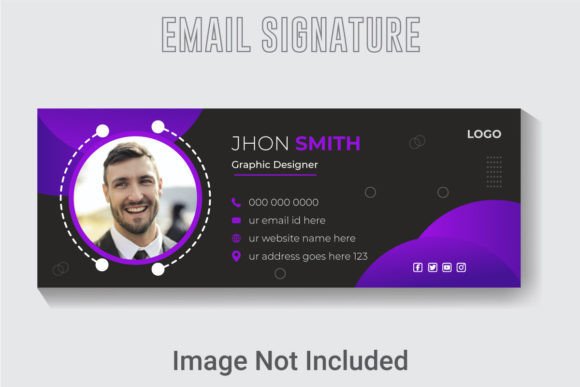
Creative Vector Email Signatures: A Designer's Branding Asset
Every email you send is a brand touchpoint. While most focus on the subject line and body, the signature often gets overlooked. A generic sign-off misses a chance to reinforce your identity. A well-crafted signature, however, acts as a digital business card, leaving a lasting impression. This is where a professional template becomes invaluable, transforming a simple closing into a powerful branding tool.
Beyond the Basics: What This Template Offers
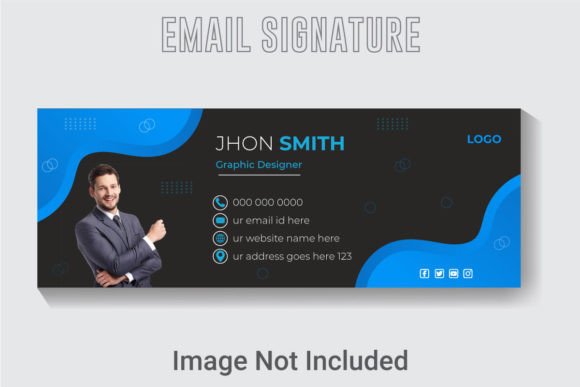
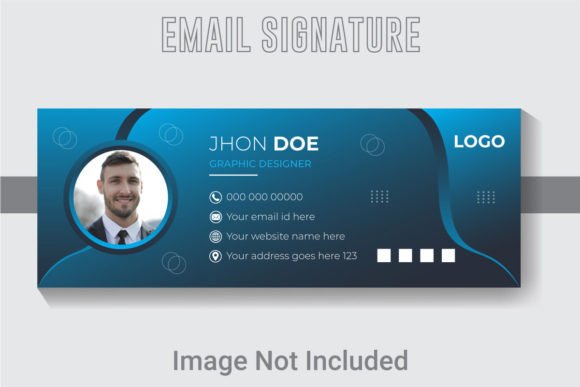
The Creative Vector Email Signature Template is more than just a static image. It's a fully editable design system built for professionals who value consistency and quality. Designed at an optimal 851x315 pixel dimension, it ensures your signature displays crisply across various email clients and devices. The 300 DPI resolution means it’s equally sharp for any print application, like a business card insert or a promotional flyer.
What truly sets this asset apart is its foundation in Adobe Illustrator CC. This isn't a flattened JPEG you're stuck with. The AI file gives you complete control. Every text element is live and editable, meaning you can instantly swap in your name, title, and contact details. The fonts are fully customizable, and the color palette is entirely yours to adjust. This level of control is what separates a template from a true design asset, allowing you to mold it to your exact brand guidelines.
Practical Applications for Your Brand
Think of this template as a starting point for cohesive visual communication. Its vector nature means it scales perfectly without losing quality, opening up a world of uses beyond the inbox.
- Digital Presence: Use the signature design as a consistent header for your email newsletters. Adapt its style for social media profile banners or website contact sections to create a unified look.
- Marketing Collateral: The high-resolution file is perfect for print. Create matching business cards, letterheads, or thank-you notes. The design can even inspire the look of product packaging or promotional posters.
- Client Presentations: For freelancers and agencies, presenting a branded signature to clients demonstrates professionalism. Use the template to quickly mock up a client’s signature as part of a broader brand identity package.
- Internal Documents: Standardize signatures across your team for a polished, professional appearance in all company communications, from internal memos to external proposals.
The included JPG offers a quick preview or a fallback, while the EPS file ensures compatibility with other design software, making this a versatile addition to your creative toolkit.
Enhancing Your Visual Communication
A consistent and professional email signature does more than just list your details. It directly impacts how your audience perceives you. When your signature aligns with your logo, website, and other materials, it builds brand recognition. People start to associate your visual style with your name, making you more memorable.
This template aids in creating that visual consistency. By using the same color scheme, font style, and layout across all platforms, you present a unified front. This professional presentation builds trust. A sloppy or inconsistent signature can subconsciously undermine credibility, while a polished one signals attention to detail and reliability.
Furthermore, a well-structured signature improves readability. Key information—your name, role, and primary contact method—should be immediately clear. This template is designed with hierarchy in mind, guiding the viewer’s eye to the most important elements first, which enhances overall audience engagement.
Making It Your Own: Design Considerations
Having a great template is the first step. Customizing it effectively is where the real magic happens. Here’s how to ensure the final result truly represents your brand.
First, consider your font pairing. The template likely uses a combination of fonts—a clean sans-serif for body text and a more distinctive display font for your name. Stick to two, maximum three, typefaces. Ensure they complement each other and align with your brand's personality. A tech startup might use a modern geometric sans-serif, while a boutique bakery could opt for a elegant script paired with a simple serif.
Next, focus on color. Your signature should use your brand’s primary and secondary colors. Ensure there is sufficient contrast between the text and background for readability, especially since many people read emails on mobile devices. Test your design in both light and dark mode email clients if possible.
Finally, keep it clean. Avoid cluttering the space with too many social media icons, quotes, or promotional banners. Prioritize the essential information: name, title, company, phone number, and one or two key links (website, primary social profile). The goal is to provide a clear path for contact, not to overwhelm.
A Smart Investment for Entrepreneurs and Creatives
For a small business owner, content creator, or freelancer, time is a precious resource. Designing a signature from scratch requires time and skill. This pre-built, yet highly customizable, template saves hours of work. It provides a professional foundation that you can adapt in minutes, not days.
It’s also a commercial font asset, meaning you can use the final design for client work and commercial projects without legal worry—a crucial consideration often overlooked. Investing in quality design assets like this is investing in your brand’s professionalism. It’s a small detail that contributes significantly to the larger picture of your brand identity, helping you communicate with clarity and style in every single email you send.